
Editing a Finalized Visit Note (Web)
If your practice administrator has enabled this feature, you can unfinalize visits to make corrections. You can unfinalize and refinalize a visit note multiple times. You can edit only those visit notes for which you are the primary provider, that you finalized, for up to one year, depending on your practice's policies.
When you unfinalize a visit, make corrections, and refinalize the visit, a note appears at the top of the visit note PDF that indicates the visit note was edited. Additional signature lines appear at the end of the visit note PDF, indicating when the note was initially finalized and when it was amended. Encompass retains a history of each version of the finalized note.
- Open the Patient Overview.
- Locate the visit in the Patient Activity section.
- Click Edit Final Visit.
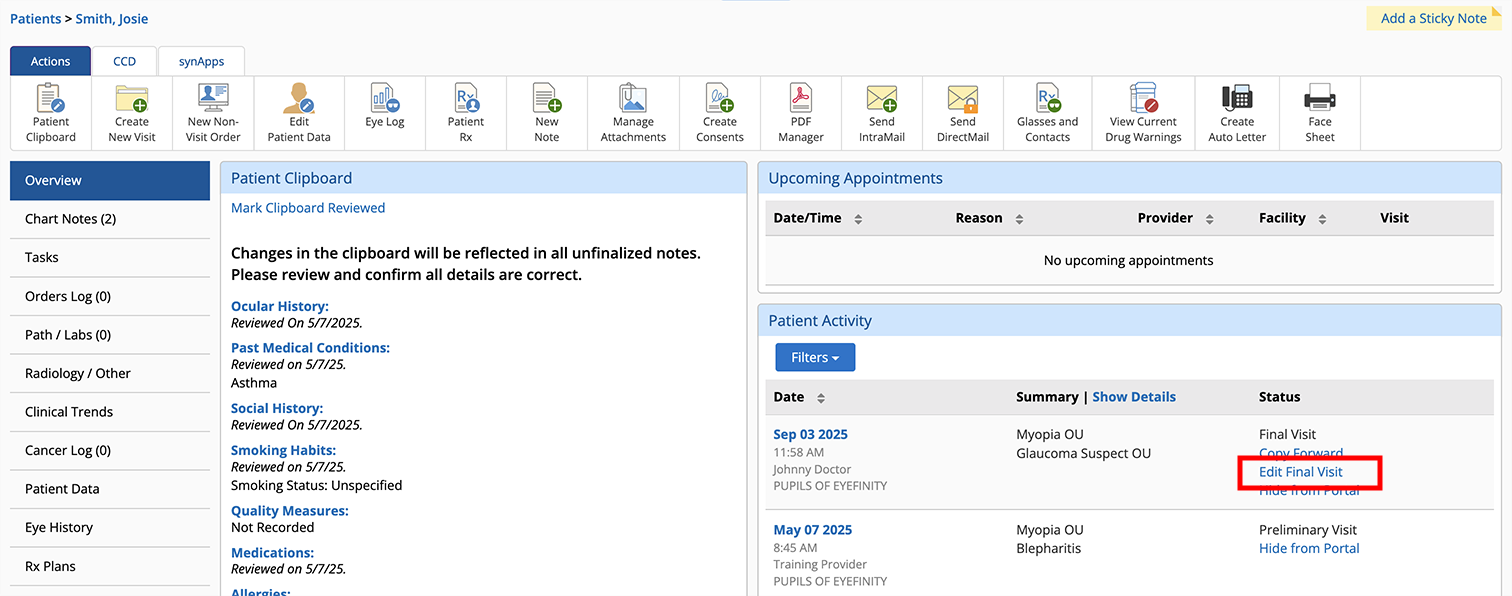
- Review the warnings and confirm that you want to continue editing the note.
The visit's status changes to Preliminary - Correcting Note Visit.
- Edit the visit as needed and Finalize the visit again.
- Open the Finalized Visit.
- Click the Actions tab.
- Click the Edit Final Visit action bar icon.
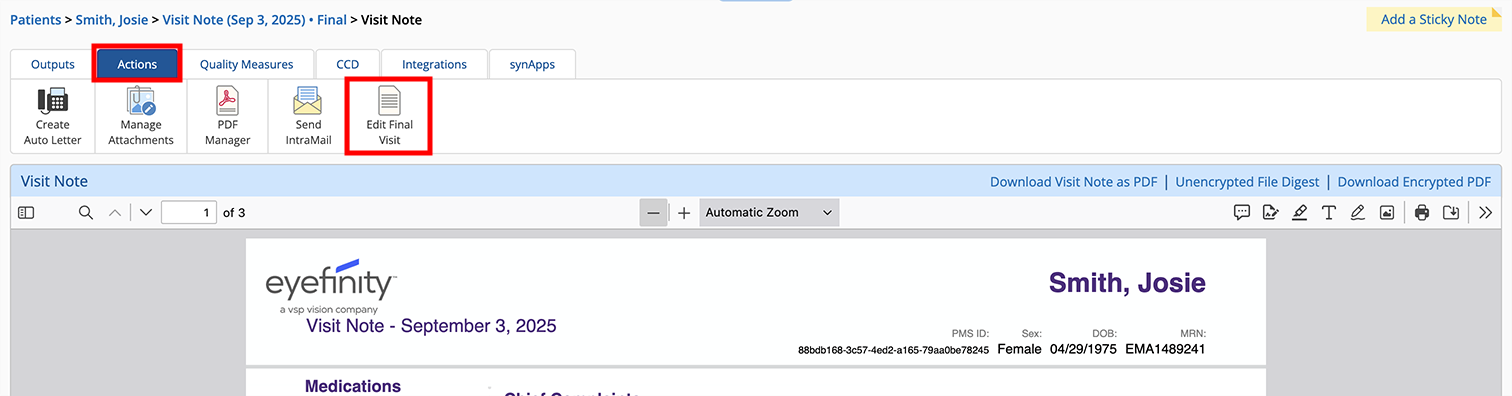
- Review the warnings and confirm that you want to continue editing the note.
The visit's status changes to Preliminary - Correcting Note Visit.
- Edit the visit as needed and Finalize the visit again.
Here are some limitations to consider before allowing your doctors to unfinalize visit notes:
- Charges cannot be resent to the practice management system.
- When the visit is refinalized the patient's most current clipboard data appears in the final visit note—the current clipboard data may differ from the data that's in place on the date of service.
- If a visit from a previous year is edited, you may need to resubmit MIPS performance data to account for any performance changes.
- There is no limit to the number of times a visit can be unfinalized and refinalized, but a new signature line and timestamp is appended to the end of the visit note with each finalization.