Selecting Specific Providers and Locations for Health Information Exchanges
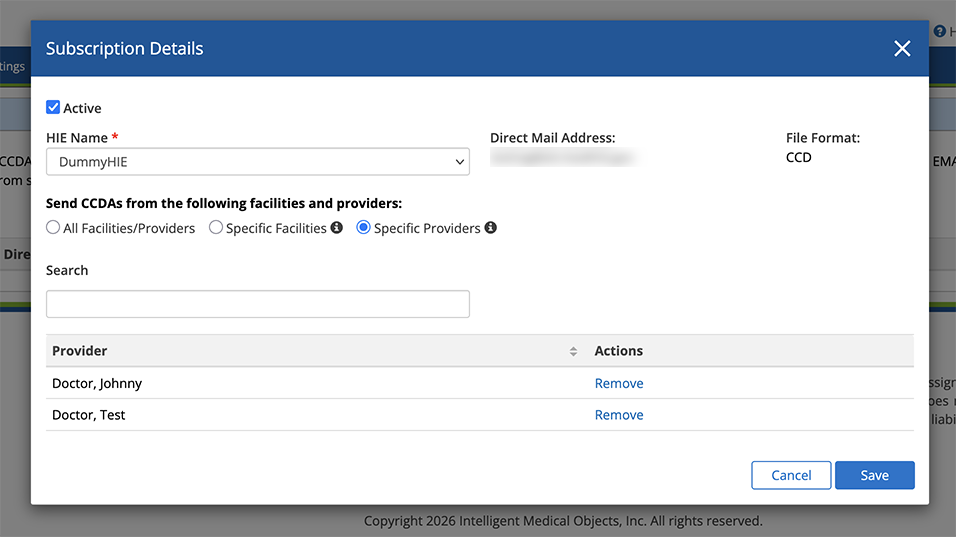
You can now select specific provider or location CCDAs to automatically send as part of Health Information Exchanges (HIEs) upon visit finalization. Previously, the default setting automatically sent visits documented by all providers at all locations. To change this setting, follow the instructions below:
- Log in to the Encompass web application as an administrator.
- Locate the Transition of Care (HIE) section and click Manage Transition of Care (HIE).
- Select an HIE from the list, or click Subscribe to HIE to add one.
- Select the HIE Name and if you select specific facilities or providers, type their names in the search box, then click Save.
- If you select an existing HIE, click the edit link to update your preferences.