
What's New in Encompass 5.19
Release Date: April 17, 2020
Eyefinity announces the newest version of Eyefinity EHR! In addition to resolving known issues in previous versions, this updated version improves upon its robust attributes and offers useful new features and expanded functionality. For additional information on Eyefinity EHR features, training, and integration with practice management systems, visit www.eyefinity.com or call 800.942.5353.
For more detailed information on how to use the new features in Eyefinity EHR 5.19, watch the recorded training tutorials.
This section includes:
Enhancements for Both iPad and Web
Both the Eyefinity EHR iPad app and web application include enhancements in the following areas:
Contact Lenses
-
The workflow for documenting toric contact lens rotation has changed.
- The following fields under the Assessment tab for contact lenses have been removed:
- Torics Right
Torics Rotated Right (degrees)
Torics Rotated Left (degrees)
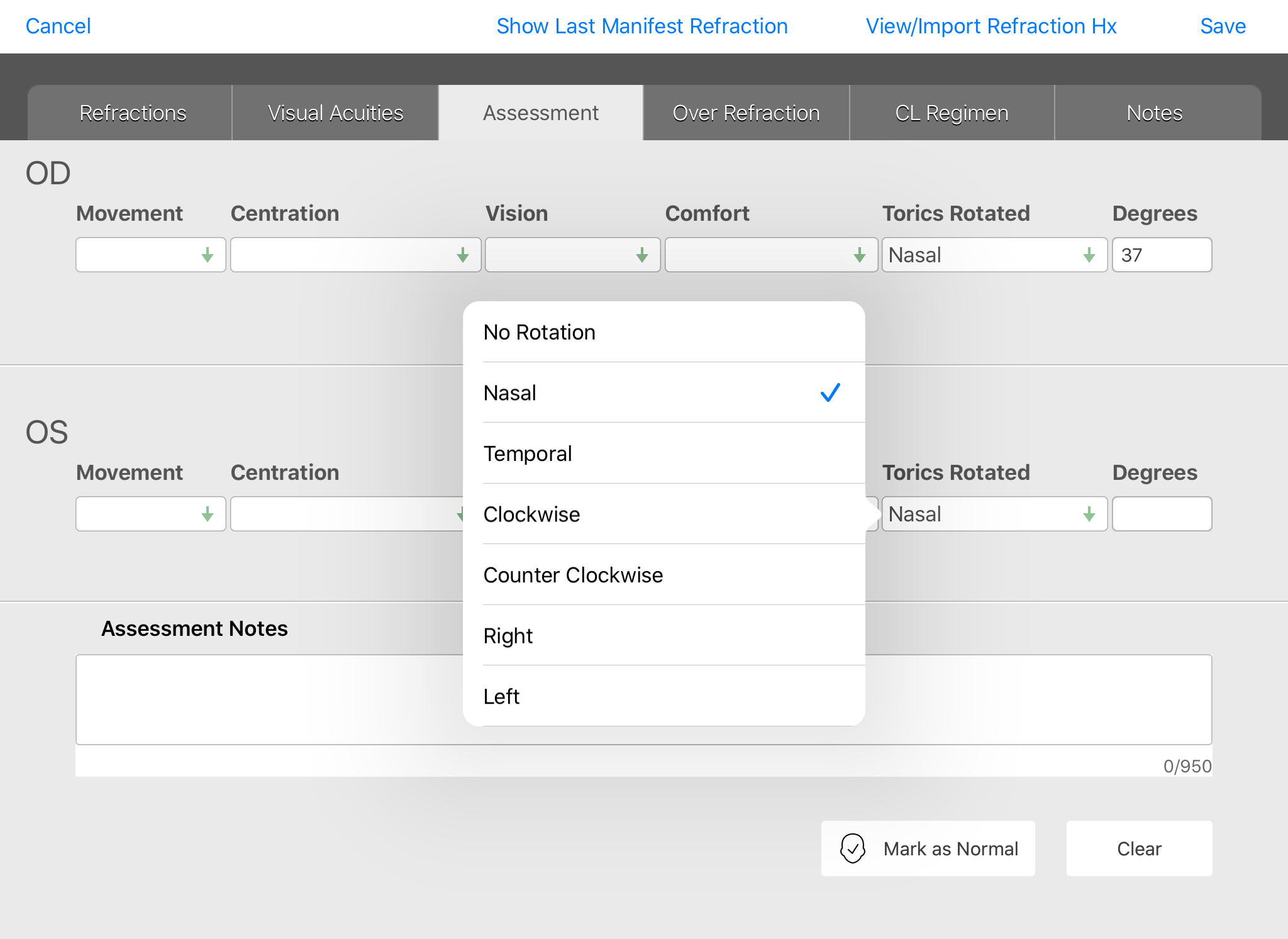
- Under the Assessment tab, you can now use the Torics Rotated field to select one of the following options:
- No Rotation
- Nasal
- Temporal
- Clockwise
- Counter Clockwise
- Right
- Left
-
If rotation is occurring, enter the Degrees in the field to the right.
Security
- Whenever a staff member or patient resets their password, they now receive an email confirmation regarding the change.
Tasks
- You can now create quick filters from the Manage Tasks screen.
- In Task Management, the "Received On" column has been renamed to "Created On".
- Additional information is now visible from the "Assigned To" column of the Tasks queue, including the group and individual the task was assigned to as well as the date and time the task was assigned.
Web-Only Enhancements
Eyefinity EHR web application includes enhancements in the following areas:
Administration
- A new Tasking section has been created within administration.
- Settings for Quick Tasks are now located under the Tasking section.
- If you've enabled Patient Portal Refill Requests, you can now assign those requests to go to a specific staff group. Anyone assigned to that staff group will receive an Intramail message whenever a patient requests an Rx Refill through their portal.
Coding
-
You can no longer search for diagnoses by ICD-9 code.
- ICD-9 codes no longer appear in the billing sections within the Visit Overview.
Patient Chart
- New filters in Attachments and Document Management make it easier to locate specific files attached to a patient's chart.
iPad-Only Enhancements
Eyefinity EHR iPad application includes enhancements in the following areas:
Agenda
- The From field now defaults to the current date.
- The Provider field no longer shows Administrators and other user types that wouldn't have visits assigned to them, making it easier to locate actual providers from the list.
Visit Overview
-
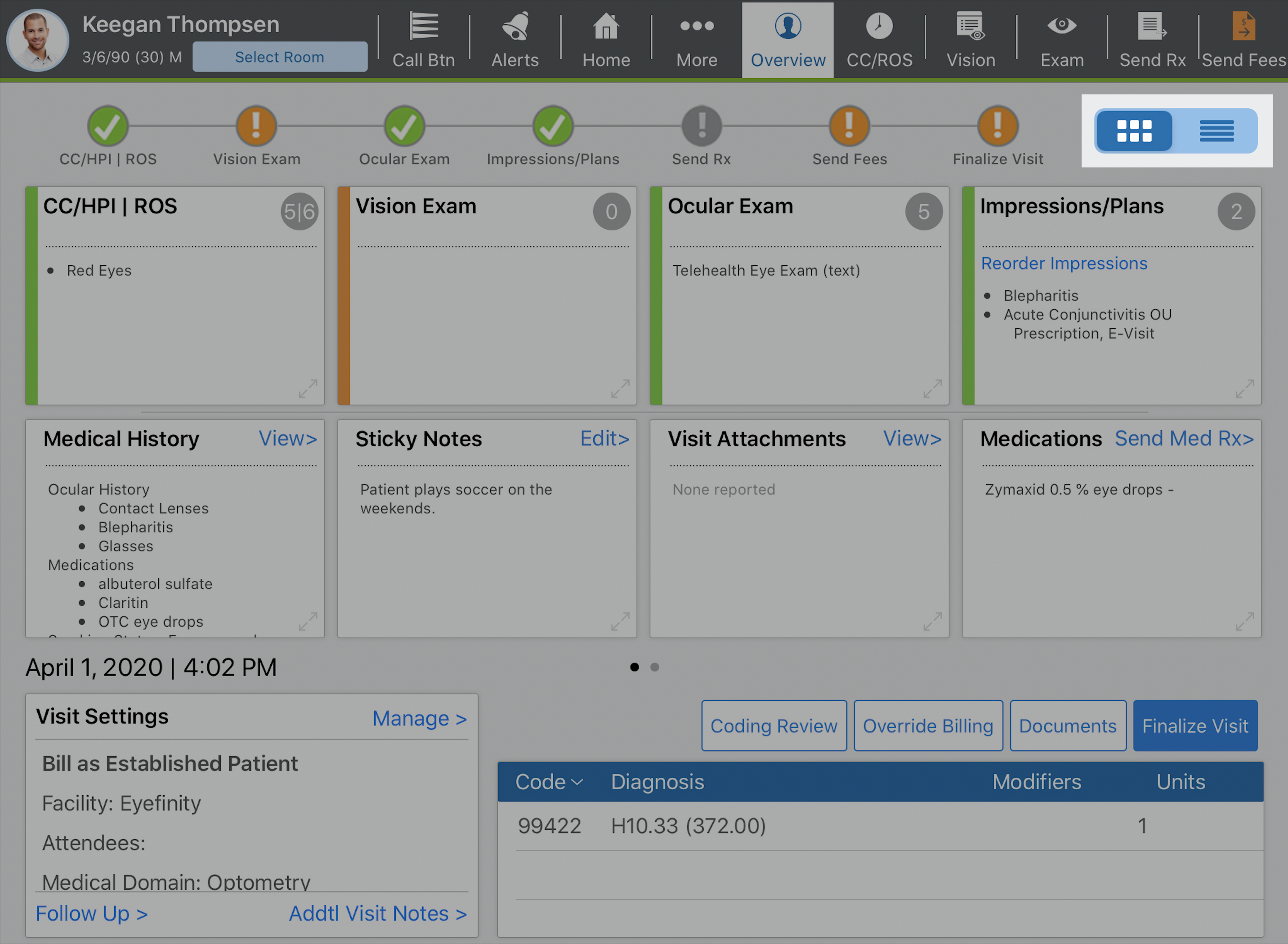
A new icon in the upper right corner of the Visit Overview screen enables you to toggle between the existing Visit Overview display (left) and a new Detailed Visit Overview (right).
-
The Detailed Visit Overview displays more information for each section so you can scroll through and closely review what's been documented.
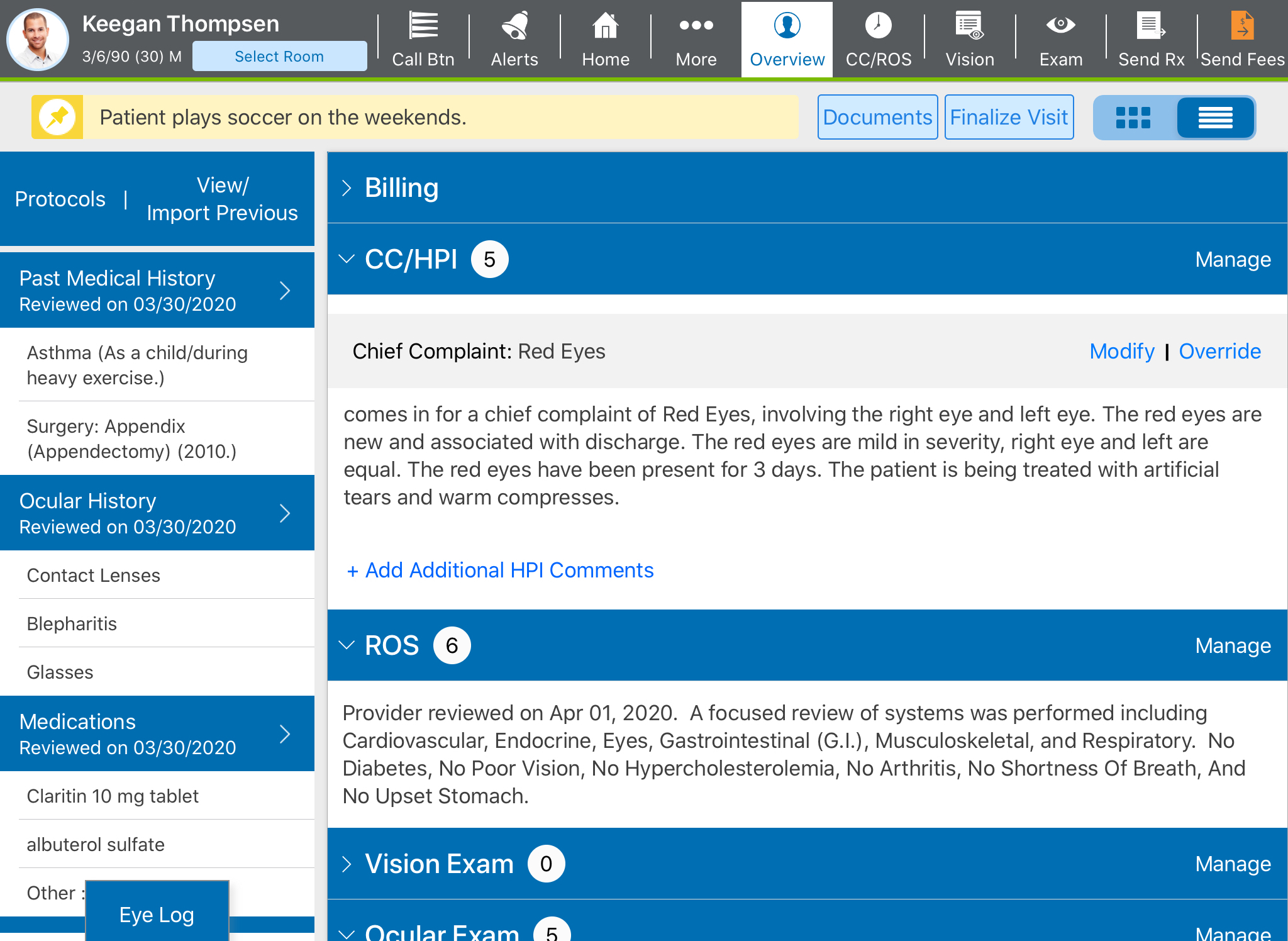
- You can jump directly into any section of the Visit Overview by tapping Manage.
- Keep in mind, you can switch back and forth between the two displays at-will. Eyefinity EHR will remember which display setting you prefer and default to it the next time you open the Visit Overview for any patient.