
What's New in Eyefinity Encompass 7.16
Training Sandbox Released November 13, 2026
Tentative General Release January 12, 2027
This is a preliminary version of the release notes. More details will be added as the official release date approaches. The tentative release date and features are subject to change.
To try out these features before they're released, open your training sandbox or download the Encompass Training app. For more information, go to Accessing Your Training Sandbox.
This page describes the enhancements, fixes, and known issues in the latest Eyefinity Encompass™ release.
- Release Highlights
- iPad and Web Enhancements
- iPad-Only Enhancements
- Web-Only Enhancements
- Administration Enhancements
- Fixed Issues
Release Highlights
- Turn Off Adjusted IOP
- Manage Protocols Across Your Practice More Easily
- Disable Rendering Visual Acuity on Eyewear Prescriptions
- Keep Finalized Visits From Being Edited Longer than Necessary
- Save Time Sending Eyewear Prescriptions from the Web
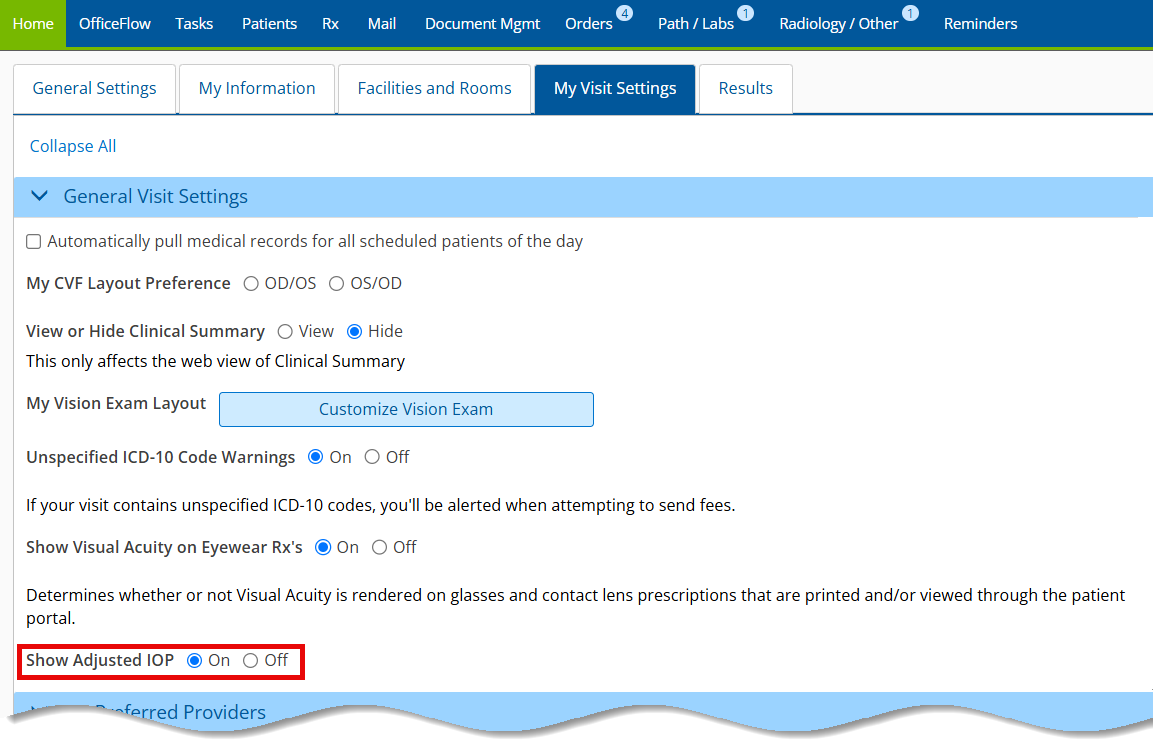
- Log into the Encompass EHR web application as a doctor.
- Click Preferences and select the My Visit Settings tab.
- Locate the Show Adjusted IOP radio button (on by default) and update your selection.
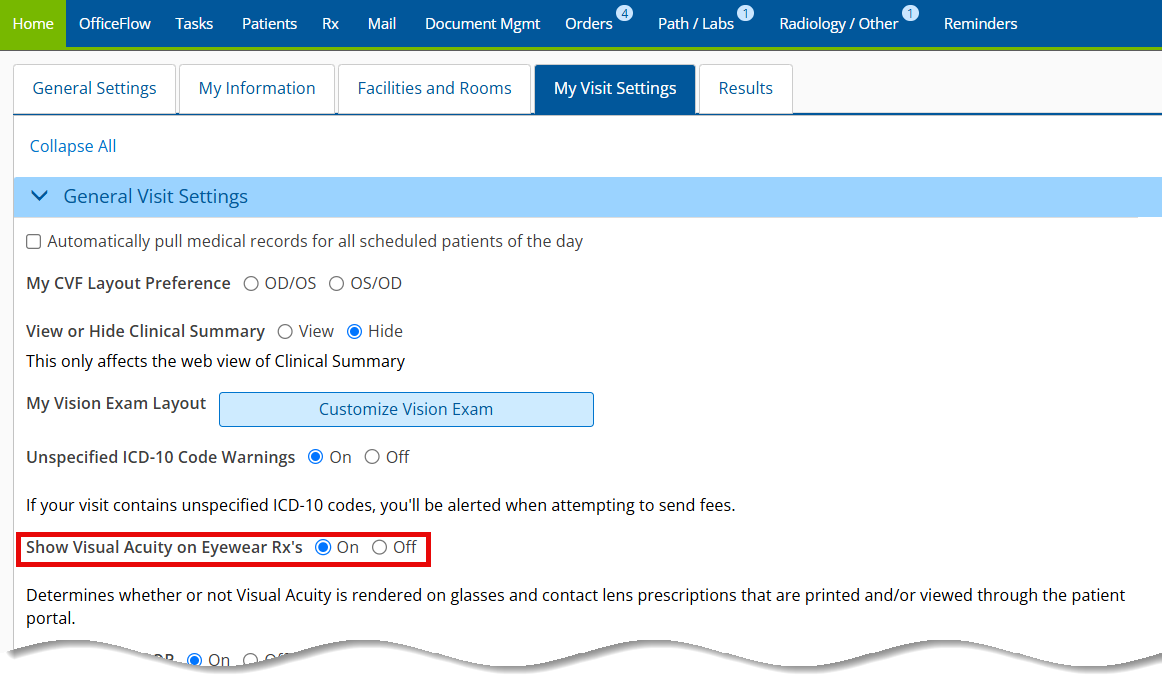
- Log into Encompass EHR on the web as a doctor.
- Click Preferences and select the My Visit Settings tab.
- Locate the Show Visual Acuity on Eyewear Rx's radio button and update your selection.
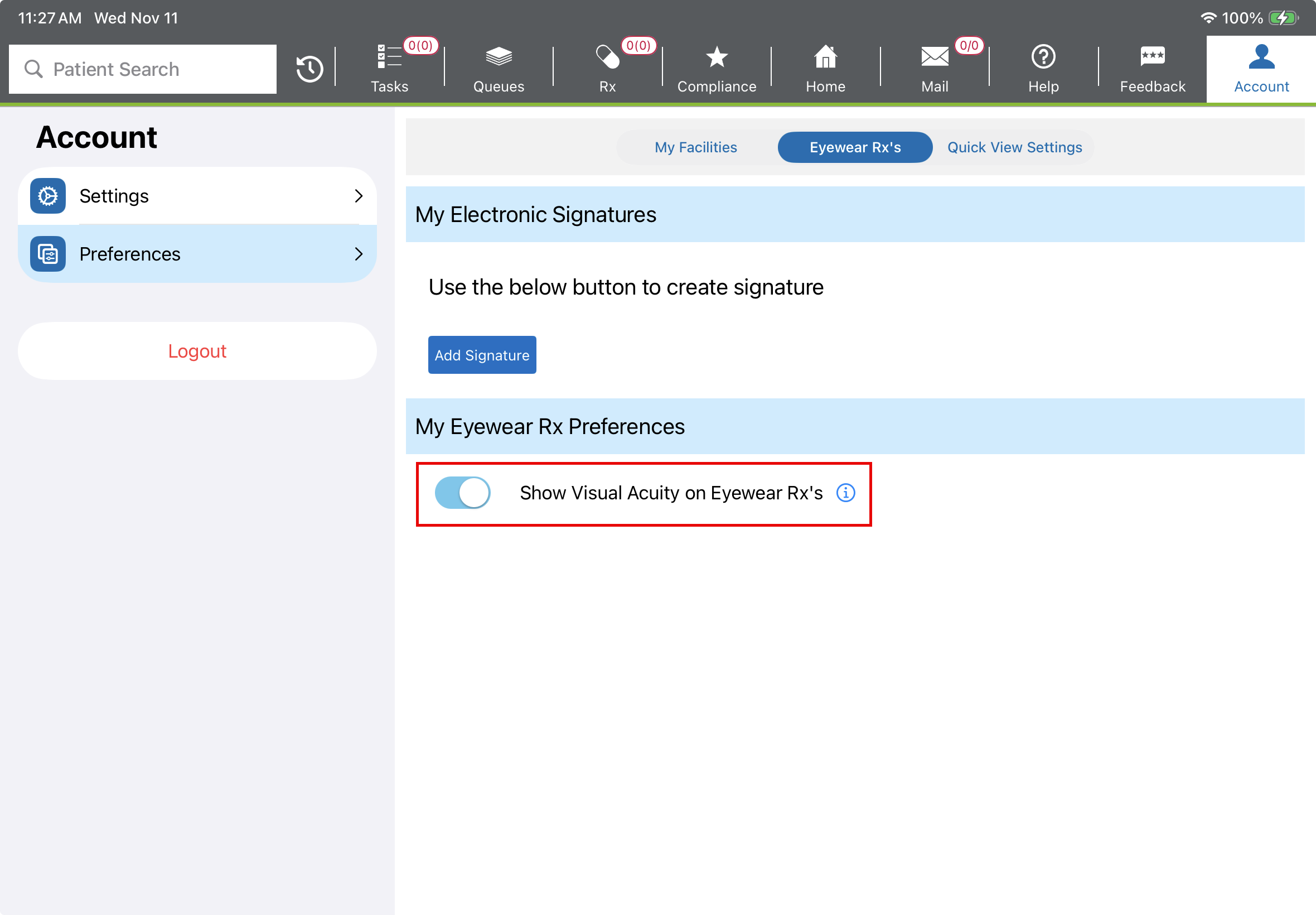
- Log into Encompass EHR on the iPad application.
- Tap the Account tab, then the Preferences tab, then the Eyewear Rx's selection.
- Toggle the Show Visual Acuity on Eyewear Rx's selection on or off as desired.
Turn Off Adjusted IOP
We listened to your feedback! You can now turn off the adjusted IOP feature if you don't wish to use it.
Here's how to adjust this setting:
Manage Protocols Across Your Practice More Easily
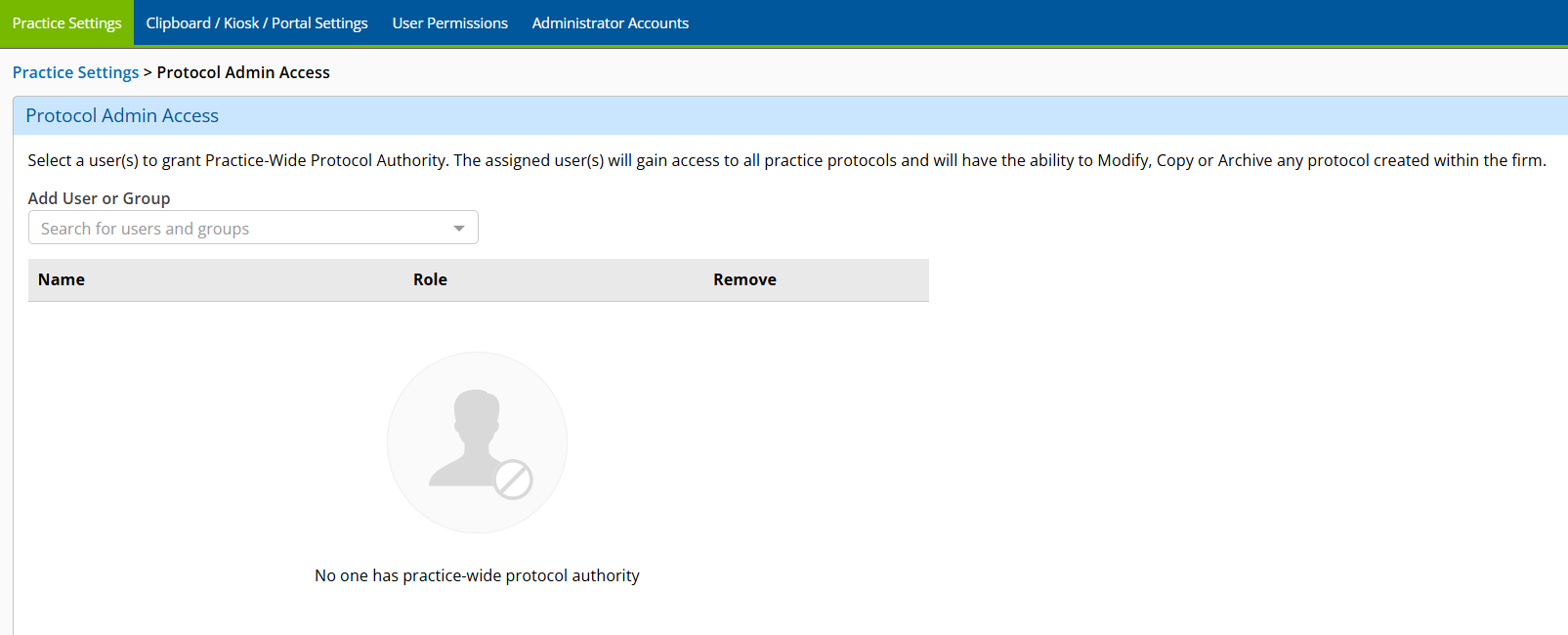
Elevate your standard of care and streamline visit documentation across your entire practice. You can now centrally manage protocols for your entire practice. Users designated as protocol administrators can standardize and update protocols and share them with clinical users. Individual clinical users can still create and manage their own protocols. Additionally, we added a new clinical alert to indicate when a protocol has been updated by an administrator. This is the first in a series of protocol improvements. For more information, see Administration Enhancements.
Find the Protocols You Need Faster
Protocol details are now hidden by default so you can see more protocols at once and spend less time scrolling through the list. You can quickly view the details of any protocol by selecting the See More link.
Disable Rendering Visual Acuity on Eyewear Prescriptions
You can now choose whether visual acuity appears on prescriptions printed or viewed through the Patient Portal, giving you more control over the information you share with patients. This setting is on by default.
Here's how to update this setting:
This setting can be changed on the iPad as well:
Keep Finalized Visits From Being Edited Longer than Necessary
Set how long users have to unfinalize a visit, giving your practice greater control over when finalized visit information can be edited. Additionally, we added a tooltip indicating why you can no longer unfinalize a visit note. For more information, see Administration Enhancements.
Save Time Sending Eyewear Prescriptions from the Web
The new Save and Send option lets you save a prescription and send it to your practice management system in one click.
iPad and Web Enhancements
The following enhancements apply on both the iPad and the web application:
- Enable Task Locking
- Display Autorefractions in Full Screen View
- Pull Dispensed Injection Data into Clinical Plans
- Render Private Label Lenses in the National Brand Name
- Document Immunizations Via Plans in the Exam
Enable Task Locking
Opening a task now locks it, preventing users from overwriting each others' work. The lock is active until the first user closes the task or the lock expires. If a second user attempts to open the task, they are informed the task is locked and they are notified when the task is unlocked again. This feature is disabled by default and can be enabled by a practice administrator.
Display Autorefractions in Full Screen View
Autorefractions now display in a full screen view.
Pull Dispensed Injection Data into Clinical Plans
Speed up your workflow by pulling dispensed injection data into clinical plans rather than manually retrieving and authenticating it.
Render Private Label Lenses in the National Brand Name
When you select a private label lens, Encompass now renders the national brand name in the Rx Notes.
Document Immunizations Via Plans in the Exam
Any immunizations administered within the practice must now be added through a plan in the Exam section of the visit. This change is to help ensure in-practice immunizations are consistently documented and billed.
iPad-Only Enhancements
- You can now review and update a patient immunization history within the Clipboard in the iPad app. Previously, immunizations could only be reviewed and edited in the web application.
Web-Only Enhancements
- We added a Save and Send button in the prescription pages on the web. This feature brings parity to a feature users have long enjoyed in the iPad app.
Administration Enhancements
- Simplify protocol upkeep and support consistent care for patients by using centralized protocol management updates. Only a protocol admin or the creator of a protocol has the ability to change a protocol. You can view a change log to review how a protocol has changed over time. Alerts for changed protocols appear on both the web application and the iPad, but can only be updated or removed on the web.
- Log into the Encompass EHR web application as an administrator.
- Locate the Firm Settings group.
- Click the Manage Protocol Admin Access button.
- Search for a user or group to assign admin access.
-
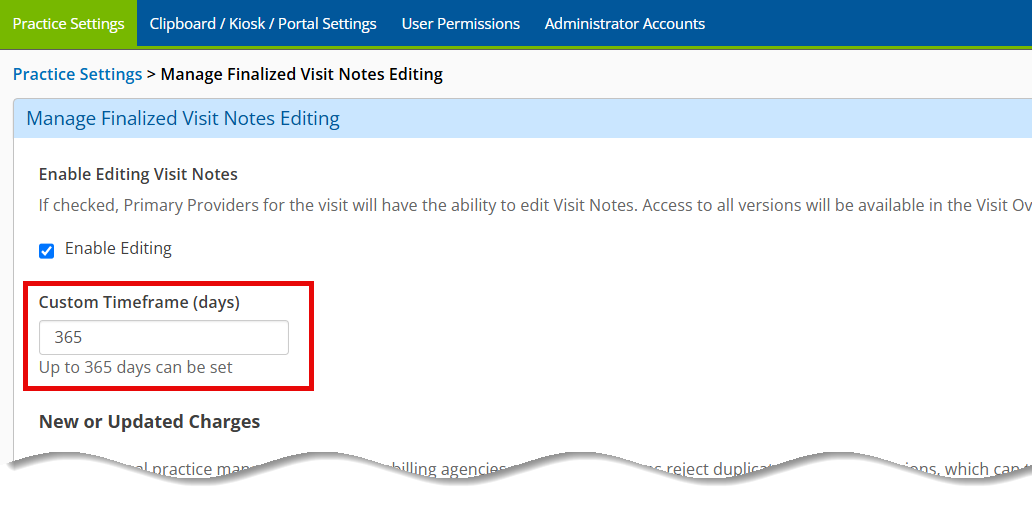
You can now limit the timeframe in which clinical users can unfinalize a visit. The maximum allowable time is still one year. This configuration is managed by practice administrators following the instructions below:
- Log into Encompass EHR on the web as a practice administrator.
- Locate the Firm Settings group.
- Click the Manage Finalized Visit Edits button.
- In the Custom Timeframe (Days) field, enter the number of days at which clinical users can no longer edit a finalized visit.
-
You can now lock tasks so only one user can open and work on a task at a time, preventing users from overwriting each others' work. You can also set the lock to expire after a specified time if a user leave the task open and unattended.
Here's how to designate protocol administrators in your practice:
Note: Only users with Tier 2 or higher can be granted access to protocols. For more information, see Understanding User Roles.
Fixed Issues
- We widened the Code column in the tiled Visit Overview screen in the iPad. This is intended to reduce wrapping to the next line.
- Encompass now warns you when you attempt to fax a file type that is not supported by the faxing system. Previously, sending unsupported files resulted in an error in the error log.
- Newly created orders now show the visit date and time as the collection date and time. The collection time now also appears on new orders moving forward.