Adding Pinned Notes to Patient Records
You can add notes that are "pinned" to the patient's record and easily accessed from the Demographics, Overview, Appointment Calendar, and Material Orders screens. Pinned notes function similarly to Patient Alerts in OfficeMate. They are not shown in the Correspondence: Notes screen.
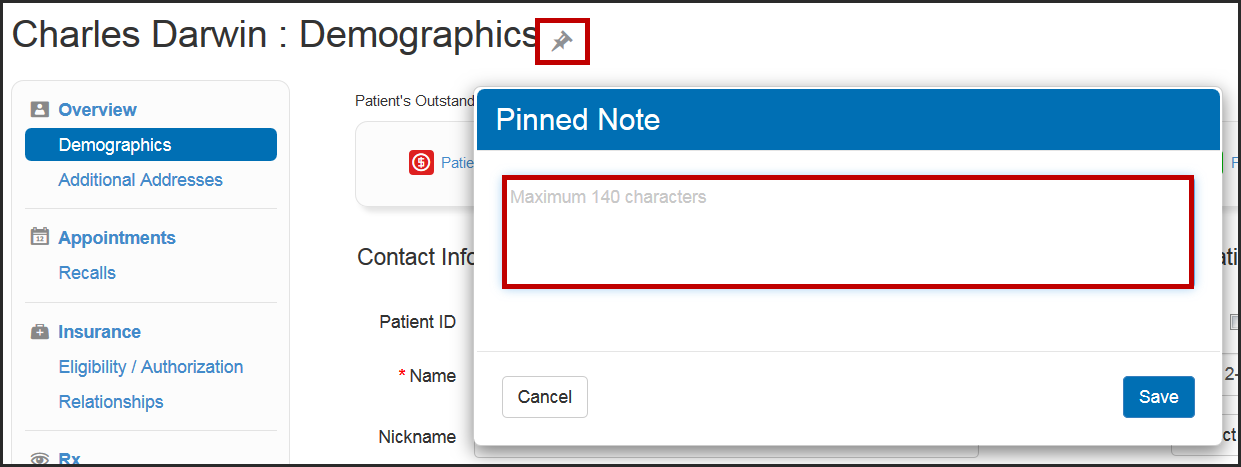
- On the Demographics, Overview, Appointment Calendar, or Material Orders screen, click the Pin icon. The Pinned Note window opens.
- Type the note text, up to 140 characters.
- Click Save. The Pin icon turns red, indicating that the patient has a pinned note.