
Sending Contact Lens Stock Orders to WVA
The Wisconsin Vision Associates supplier integration is not currently available. It will be added in a future release of Encompass.
If your administrator has set up your Wisconsin Vision Associates (WVA) supplier integration to place contact lens stock orders manually instead of automatically, the system holds the orders until you send them.
To send a contact lens stock order to WVA manually:
- On the top menu bar in Encompass, click Inventory and select Product Inventory.
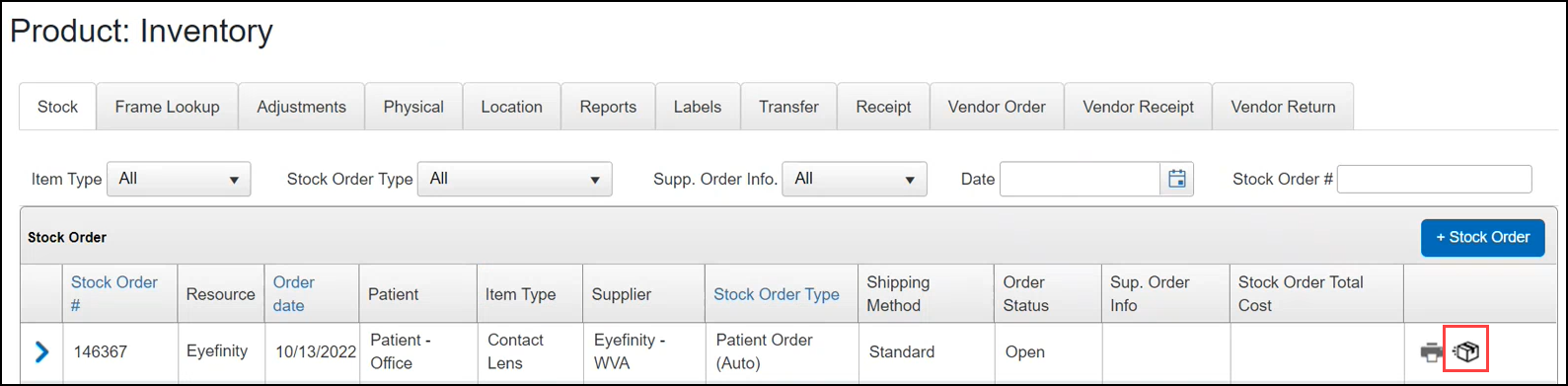
- On the Stock tab, search for the order you want to send.
For more information, go to Looking Up and Editing Stock Orders.
- To add contact lenses to the batch order (for example, to replenish your trial lens stock):
- Click the blue arrow next to the stock order to see the order details.
- Click + Detail
- Search for the lenses you want to add and record the Quantity.
- Click Save.
- Click the Send Stock Order icon.
The system asks you to confirm that you want to send the stock order.
- Click OK.
The Order Status and Sup. Order Info columns update to show that the order was sent.